ORDER ID#PD-3814-AProcessing
PDCard Transaction Guide
ONE CARD.
HOW MANY ORDERS?
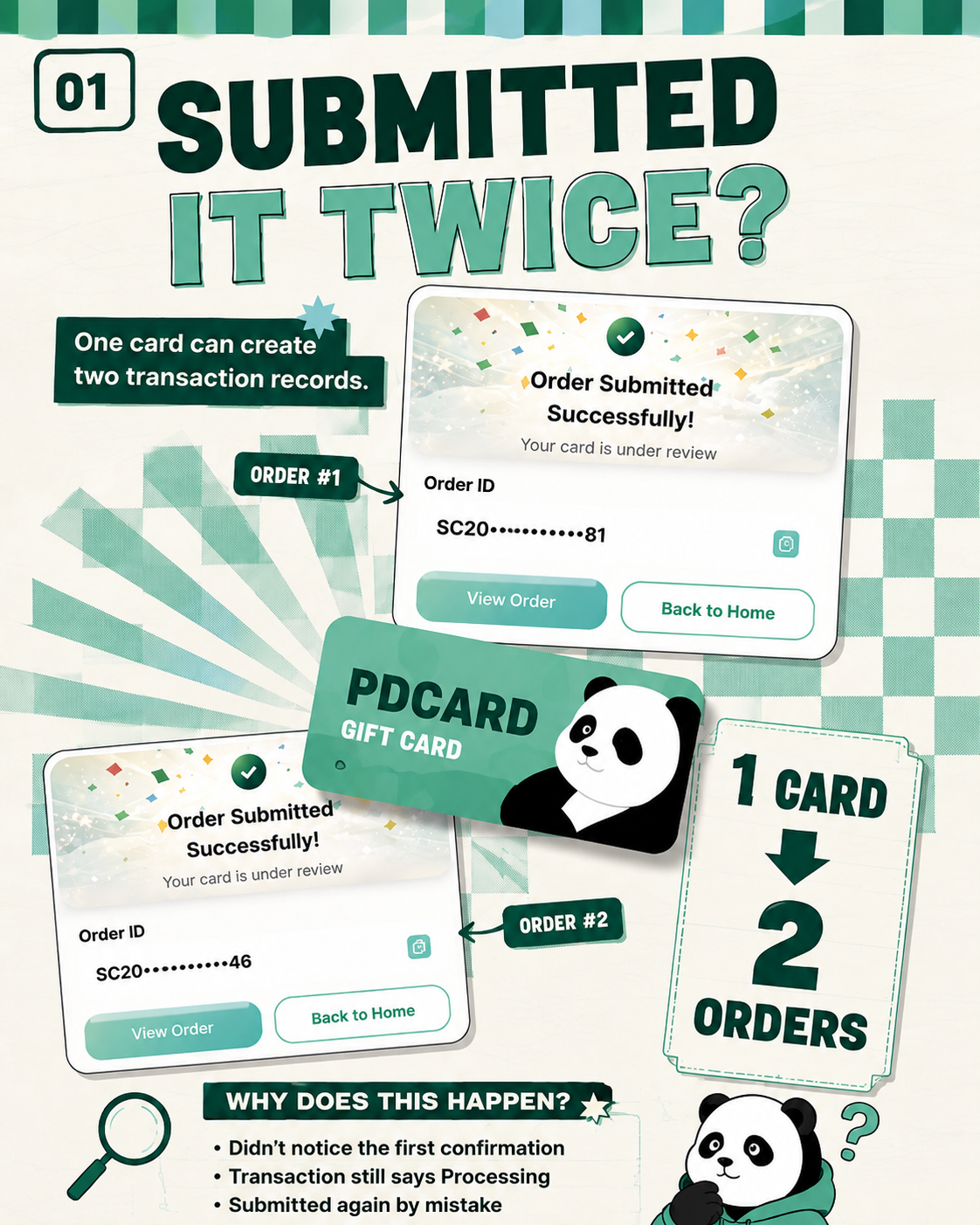
The same gift card does not become a new card when you submit it again. But a new submission may become a new transaction record.
GIFT
CARD
•••• •••• •••• 3814
ORDER ID
#PD-3814-A
Processing
ORDER ID
#PD-3814-B
Submitted
1 CARD
≠ 1 ORDER
Submitting the same gift card again can feel like a reset button when the first order is still processing.
It is not. If the original transaction already exists, another submission may simply create another Order ID for the same card.
Before you resubmit, check your existing PDCard transaction first.
WHAT CHANGES WHEN YOU SUBMIT AGAIN?
APPLE GIFT CARDONE CARD
•••• •••• 3814
ORDER ID#PD-3814-BSubmitted
ANOTHER RECORD?STOP & CHECKDo not add one more
The first submission creates its own transaction.
01
First submission
The transaction receives its own Order ID and begins its own review status.
02
Same card, submitted again
The card itself has not changed. The second submission may still create another transaction record with another Order ID.
03
The first order was not replaced
You may now simply have two separate records connected to one gift card.
WHY DUPLICATES HAPPEN
Uncertainty is usually the trigger.
A second submission often happens because the original order was not noticed, is still Processing, or feels “stuck.”
01
The first order was not noticed in Transactions.
02
The transaction was still showing Processing.
03
The user thought another submission would restart the review.
04
The submit action was accidentally completed more than once.
05
The user assumed another order would make the process faster.
THE FALSE SHORTCUT
MORE SUBMISSIONS
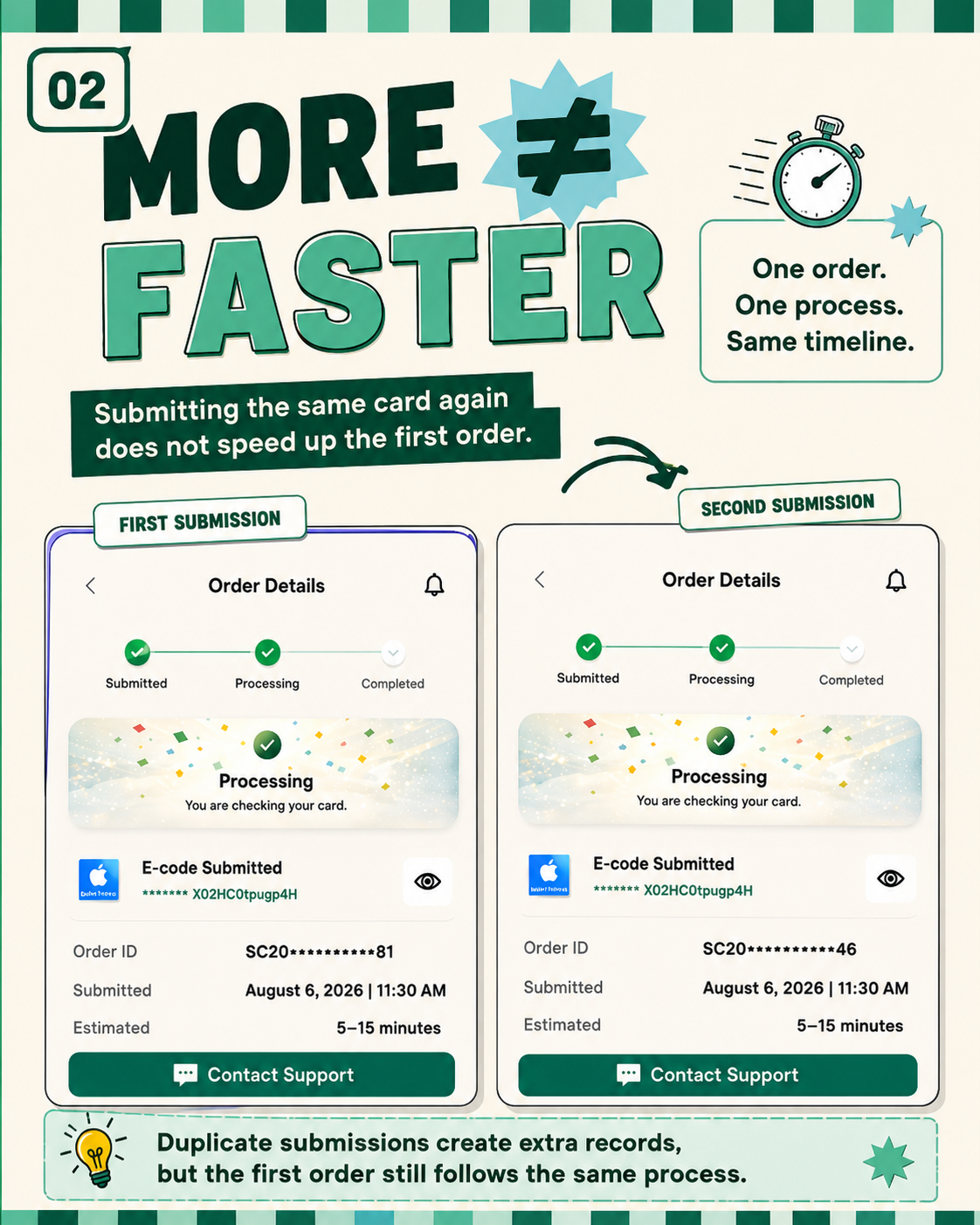
≠ FASTER PROCESSING
The original order continues through its existing review. A duplicate creates another record; it does not accelerate the first one.
ORDER #PD-3814-AProcessing
Original order
+
ORDER #PD-3814-BSubmitted
Additional record
TWO RECORDS. SAME CARD. NO SPEED BOOST.
BEFORE YOU SUBMIT AGAIN
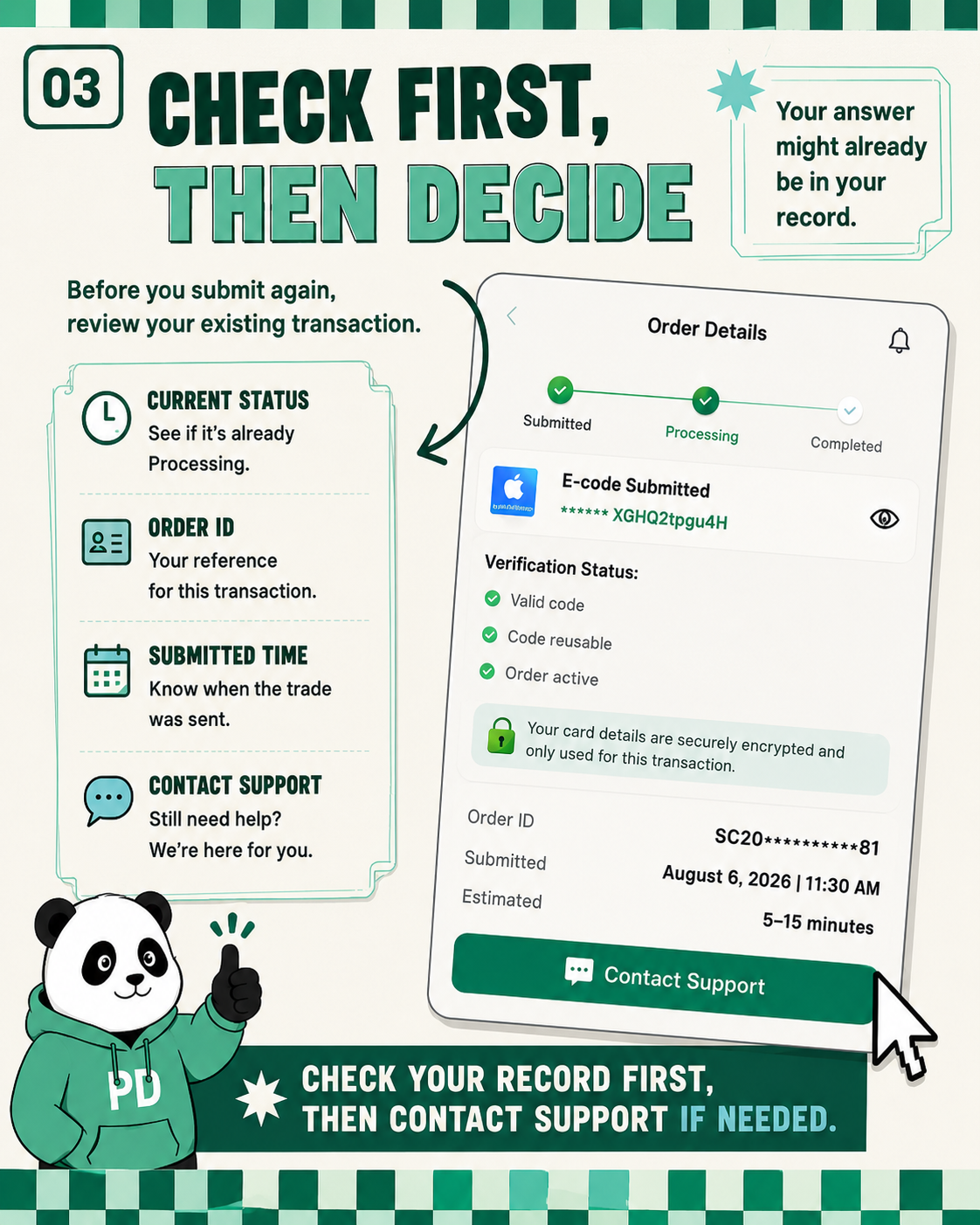
Open the existing transaction.
Four pieces of information can tell you whether another submission is actually necessary.
Apple Gift Card
Processing
StatusProcessing
Order ID#PD-3814-A
SubmittedAug 09 · 14:08
Latest updateUnder review
Check the record before creating another one.
01
Current status
Submitted, Processing, Completed, or another update tells you what the existing order is doing now.
02
Order ID
Save the reference used to track that specific transaction or discuss it with official support.
03
Submitted time
If duplicate records already exist, the timestamp helps identify which transaction came first.
04
Latest update
The order may already contain a processing estimate, a request for information, or another action you should follow.
IF IT ALREADY HAPPENED
Two records already exist?
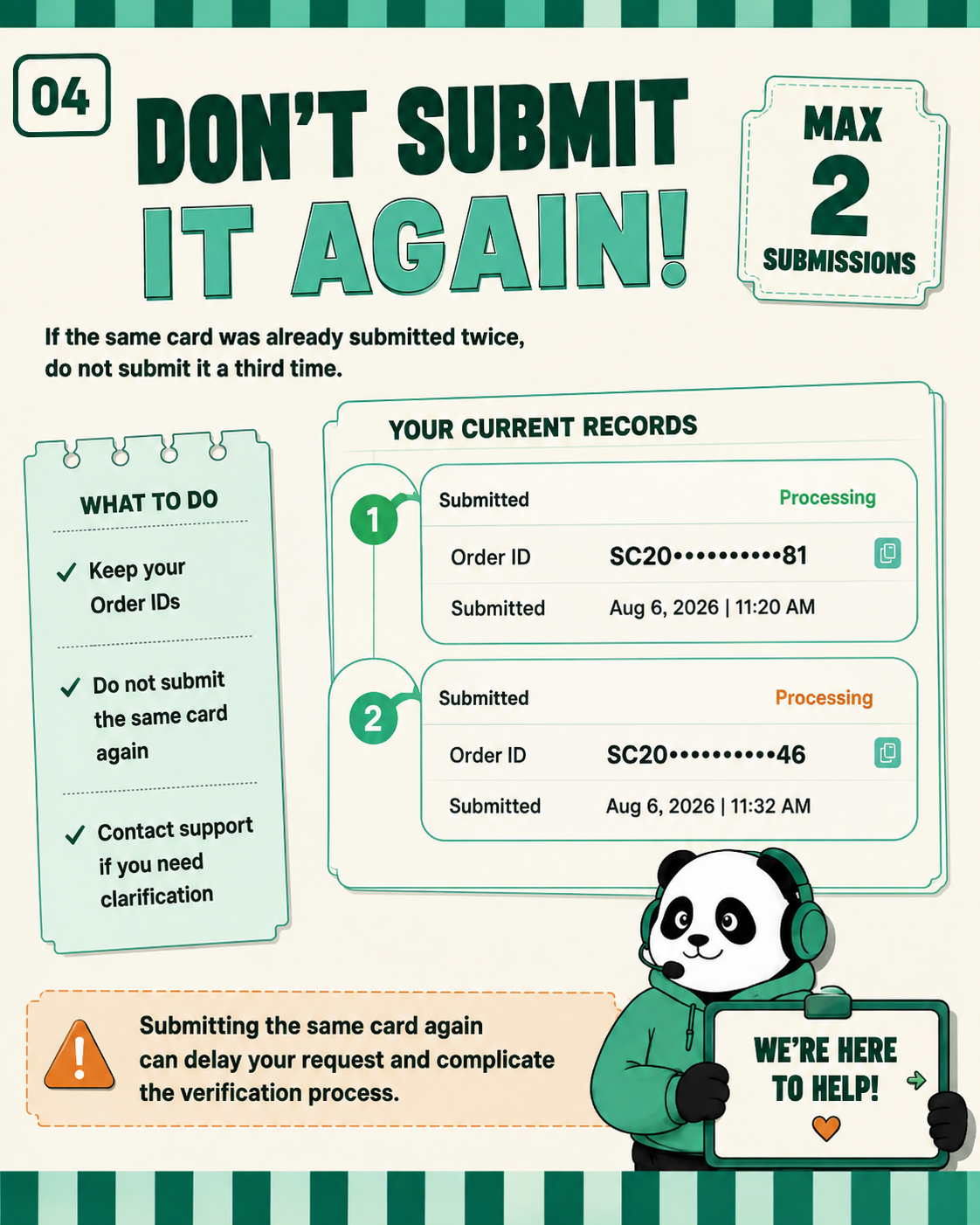
Do not create a third submission just because you are unsure which one to follow.
KEEP BOTH ORDER IDs.
ORDER A
#PD-3814-A
Processing · 14:08
ORDER B
#PD-3814-B
Submitted · 14:16
×
DO NOT ADDORDER C
- 1Keep both Order IDs.
- 2Open both transaction records.
- 3Compare status and submitted time.
- 4Keep the original card and receipt.
- 5Do not reuse or sell the card while active.
- 6Contact official support if clarification is needed.
WHILE THE ORDER IS ACTIVE
Do not create conflicting activity.
×
Do not redeem the card somewhere else.
×
Do not sell it to another trader.
×
Do not repeatedly submit it on PDCard.
×
Do not share the code with another person.
WHEN TO CONTACT SUPPORT
Use the records you already have.
Contact official PDCard support when the existing transactions do not clearly answer your question. Provide the relevant Order IDs and explain that they belong to the same gift card.
THE SIMPLE RULE
CHECK FIRST.
THEN DECIDE.
Check Transactions→
Find Order ID→
Review Status→
Decide Next Step
If the first transaction already exists, keep following that record. If two records exist, keep both Order IDs and ask official support instead of creating another submission.